

Collaboration, 2026.10
Documentation
FirstSpirit Collaboration: Configuring AI Agents
To configure and use the FirstSpirit AI Agent or custom AI agents, you must be a customer of the FirstSpirit AI Suite.
The FirstSpirit AI Agent has already been configured for you, allowing for direct use. To utilize additional custom AI agents in FirstSpirit Collaboration, they must be set up accordingly in the Prompt Configuration in the ContentCreator or in the ServerManager.
Creating an AI Agent for FirstSpirit Collaboration
Only project admins can create new AI agents. To create an AI agent in the ContentCreator prompt configuration:
- Open the ContentCreator prompt configuration.
- Create a new operation.
- Enter a name for the agent in the Name field.
The operation name may consist of letters, numbers, and the following special characters: "-", "_", ".", "#", ")", "(". Spaces are not allowed.
To clearly designate operations as a Collaboration Agent, you can optionally prefix the name with "Collaboration:". A space is required between the prefix and the agent's name. In the ContentCreator, only the actual name will be displayed to the user.
Agents are addressed by the user in Collaboration using "@< NAME >".
To clearly designate operations as a Collaboration Agent, you can optionally prefix the name with "Collaboration:". A space is required between the prefix and the agent's name. In the ContentCreator, only the actual name will be displayed to the user.
Agents are addressed by the user in Collaboration using "@< NAME >".
- Enable the operation for Collaboration.
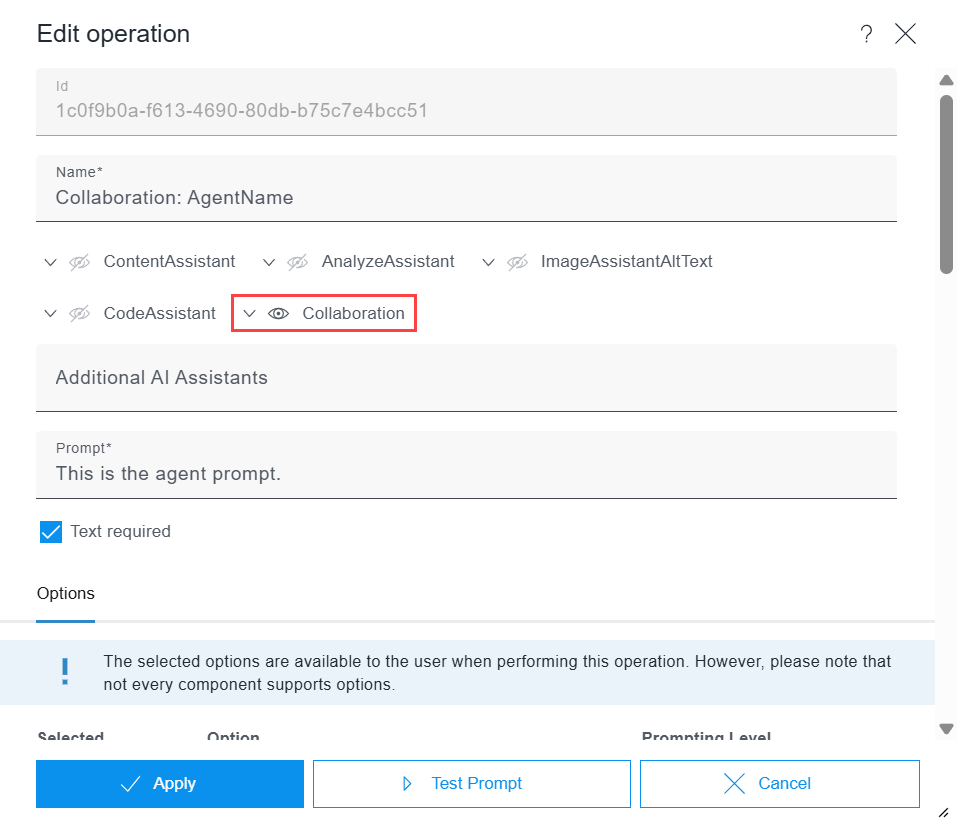
- Enter your prompt in the Prompt field.
- Optional: Use placeholders in the prompt to provide context for the agent.
- Optional: Allow the agent access to features.
Functions expand the capabilities of AI agents and enable them to interact with their environments. They can provide information to agents or represent actions that an agent can perform.
Providing context
To provide the agent with context, you can utilize the following placeholders in the agent prompt. By incorporating these placeholders, the agent will receive all relevant information necessary to deliver precise and contextually relevant answers:
- $AI.COMMENTS.THREAD$: Contains the history of the current comment thread. The agent can use this information to take into account the discussion within the thread and reference it.
- $AI.CONTENT.EDITOR$: Contains the current form data for the input component to which the current comment relates. This data reflects the current state of the component and enables the agent to provide precise suggestions or adjustments.
- $AI.CONTENT.PAGE$: Contains the form data for the entire page. The agent can thus understand the context of the whole page.
- $AI.USER.REQUEST$: Contains the user's current chat message to the agent. This is the direct request or question that the agent responds to.
- $FS.PROJECT.ID$: Contains the unique ID of the FirstSpirit project.
- $FS.PROJECT.NAME$: Contains the name of the FirstSpirit project.
If only the chat message is to be used as a prompt, only use the placeholder $AI.USER.REQUEST$ in the prompt configuration.
The placeholders are used in the configuration of the FirstSpirit AI agent. The agent prompt is accessible to project administrators, who can view the prompt and refer to it when using the placeholders.