

Group mapping
This page describes how to configure group mapping in FirstSpirit Cloud when an external identity provider (IdP) connection is set up. Group mapping automatically assigns you, as a user, to the correct groups in Keycloak based on the groups or roles you have in your company's IdP.
What is group mapping?
When authenticating via an identity provider (IdP), the IdP transmits information about your user to Keycloak. This includes your group or role memberships in the company system. Group mapping defines rules that translate this incoming information into group memberships within Keycloak.
Without group mapping, a user is added to Keycloak without a group assignment and must be assigned to a group manually by a user manager. With group mapping configured, this assignment happens automatically at every login.
To be able to use group mapping, you must:
- create the target group in Keycloak
- define the mapper
- and then configure the FirstSpirit group.
To perform these steps, you need a user with the role identity-provider-manager.
How the mapping chain works
Group mapping works through three systems:
- IdP (source): Your company's IdP contains information about your group or role memberships, such as an admin group or a department group.
- Keycloak (middle layer): A mapper reads the incoming claim from the IdP token and assigns you to a corresponding group in Keycloak. The name of the Keycloak group does not have to match the name of the IdP group or role.
- FirstSpirit application (target), e.g., FirstSpirit: Keycloak groups are linked to FirstSpirit via external groups.

Role identity-provider-manager
To configure group mappers, you need the Keycloak role identity-provider-manager. This role is separate from the User-Manager role and gives the user access to the Identity Providers menu item in Keycloak.
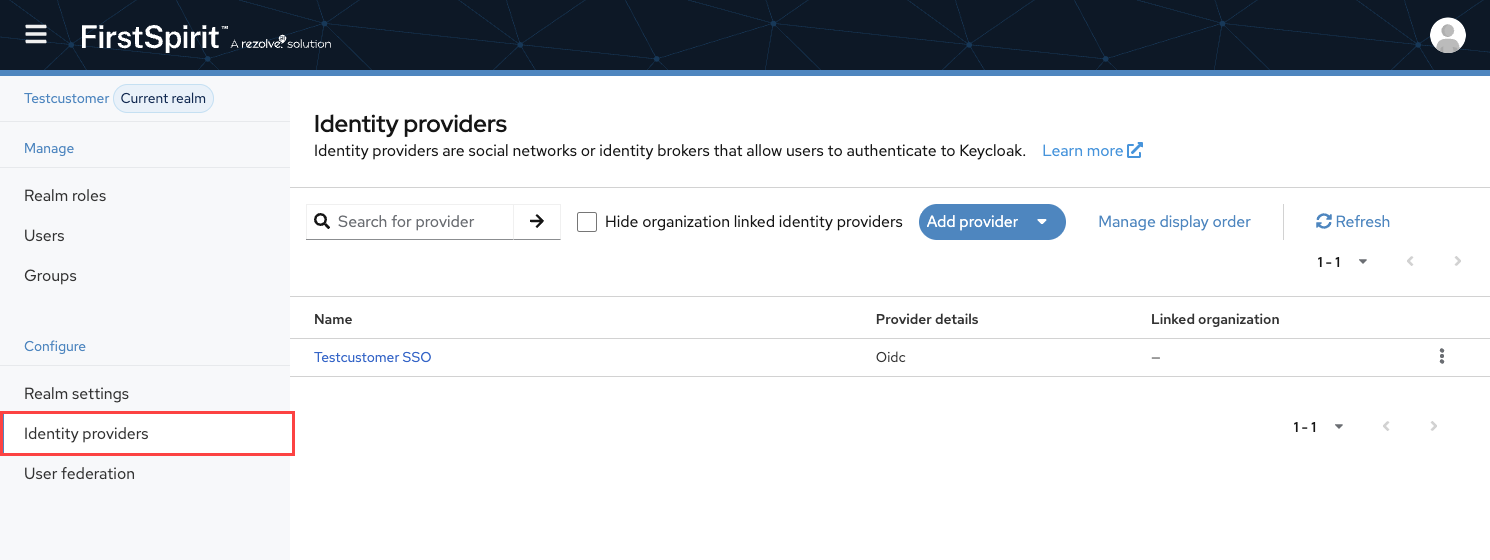
identity-provider-manager must be activated by the FirstSpirit team before it can be assigned to other users by a user manager.Creating groups in Keycloak
The Keycloak groups that you want to use as mapping targets must already exist before you set up mappers.
Standard groups such as < tenant >-users-dev are created automatically. As the user manager, you must manually create all other custom groups, such as groups for departments or regions, before you can reference them in a mapper.
Creating a mapper
A mapper defines a rule that reads a specific value from the IdP token and transfers it to a group in Keycloak. Mappers must be created once by a user with the identity-provider-manager role.
You can configure mappers in Keycloak under Identity Providers in the Mappers tab for the respective IdP connection.
Create a mapper:
- Click Add Mapper.
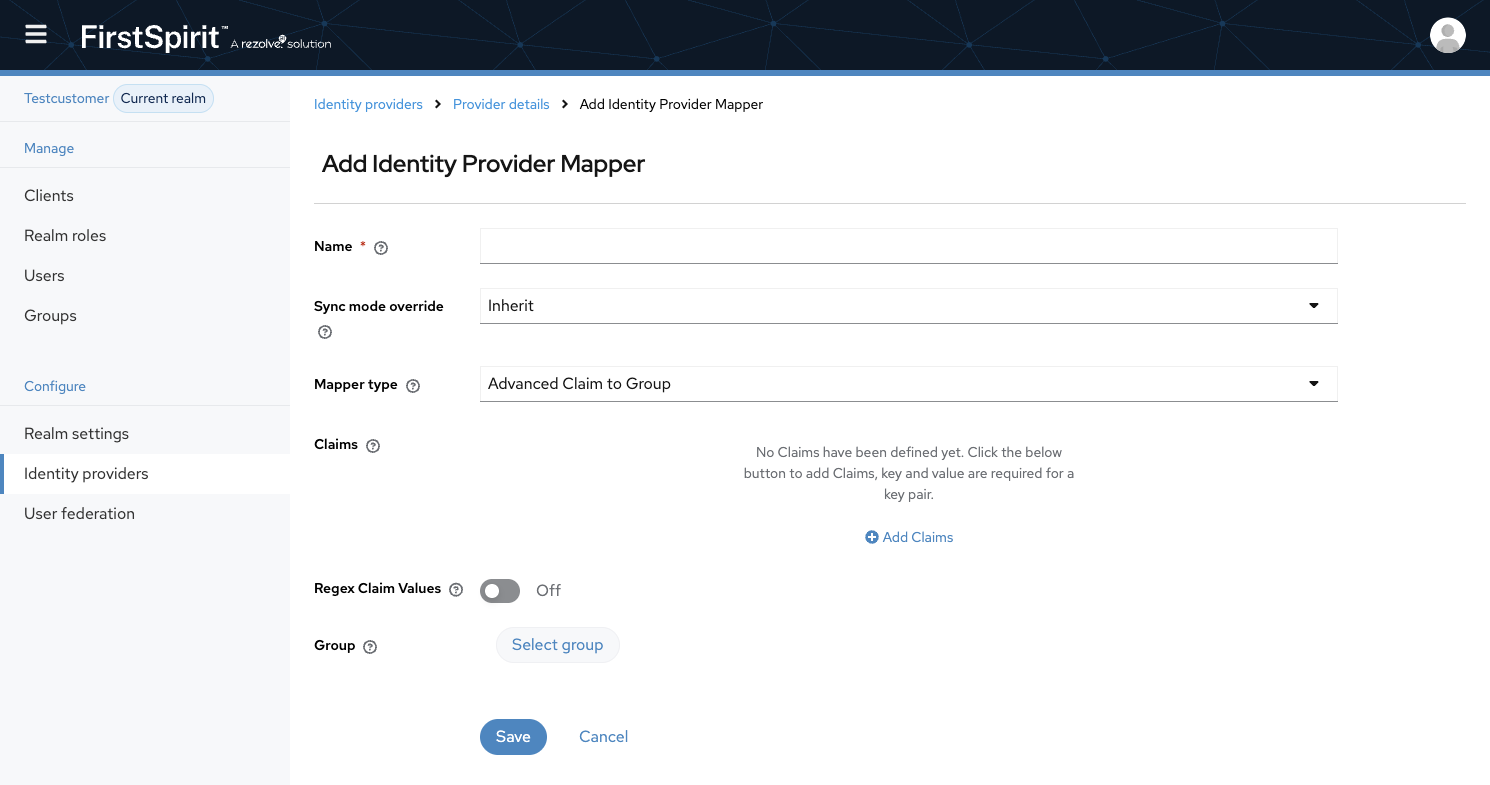
- In the Name field, enter a name that clearly identifies the source and destination of the mapper.
< source system >-< target role / group >.Example:
testtenant_idP-users_devChoose the naming convention carefully. The number of mappers can grow significantly over time. The search filter in Keycloak supports searching by mapper name.
- Set the sync mode to Force.
→ The mapper runs every time authentication occurs. The user's group memberships in Keycloak are updated every time they log in. - Select the appropriate mapper type.
Mapper types
| Mapper type | Definition | Configurable fields |
|---|---|---|
| Advanced Claim to Group | Reads a specific value from the IdP token and, if it matches, assigns the user to a defined Keycloak group. | Claim: Name of the claim field in the IdP token; must exactly match the field sent by the IdP. Claim value: The value to look for within the claim. Group: Target group in Keycloak to which the user is assigned. |
| Hardcoded Group | Assigns a fixed, predefined Keycloak group to all users who authenticate via the IdP, regardless of the roles present in the IdP. | Group: Target group in Keycloak to which the user is assigned. |
| Advanced Claim to Role | Assigns a Keycloak role to the user based on a specific value in the IdP token. Enables administrative roles to be assigned automatically via the IdP. | Claim: Name of the claim field in the IdP token; must exactly match the field sent by the IdP. Claim value: The value to look for within the claim. Role: Role in Keycloak that is assigned to the user. |
| Hardcoded Role | Assigns a fixed, predefined Keycloak role to all users who authenticate via the IdP, regardless of the roles present in the IdP. | Role: Role in Keycloak that is assigned to the user. |
Configuring external groups in a FirstSpirit project
Configuring the mapper in Keycloak does not complete the setup. You must also create an external group in FirstSpirit and set the External Name field to the exact name of the Keycloak group.