

Writing prompts
Prompts in FirstSpirit consist of operations and, optionally, options and functions. This page describes how to structure the prompt text for each combination. For steps on creating and managing operations, options, and functions in the configuration, see Prompt administration.
Prompting for an operation with options
Using an option in your prompt allows the Content Assistant end-user to choose a predefined value for a parameter that is integrated in your prompt before performing the defined operation. For example, when an end-user chooses to translate an input text, they are given the option to choose a predefined language to which the text should be translated.
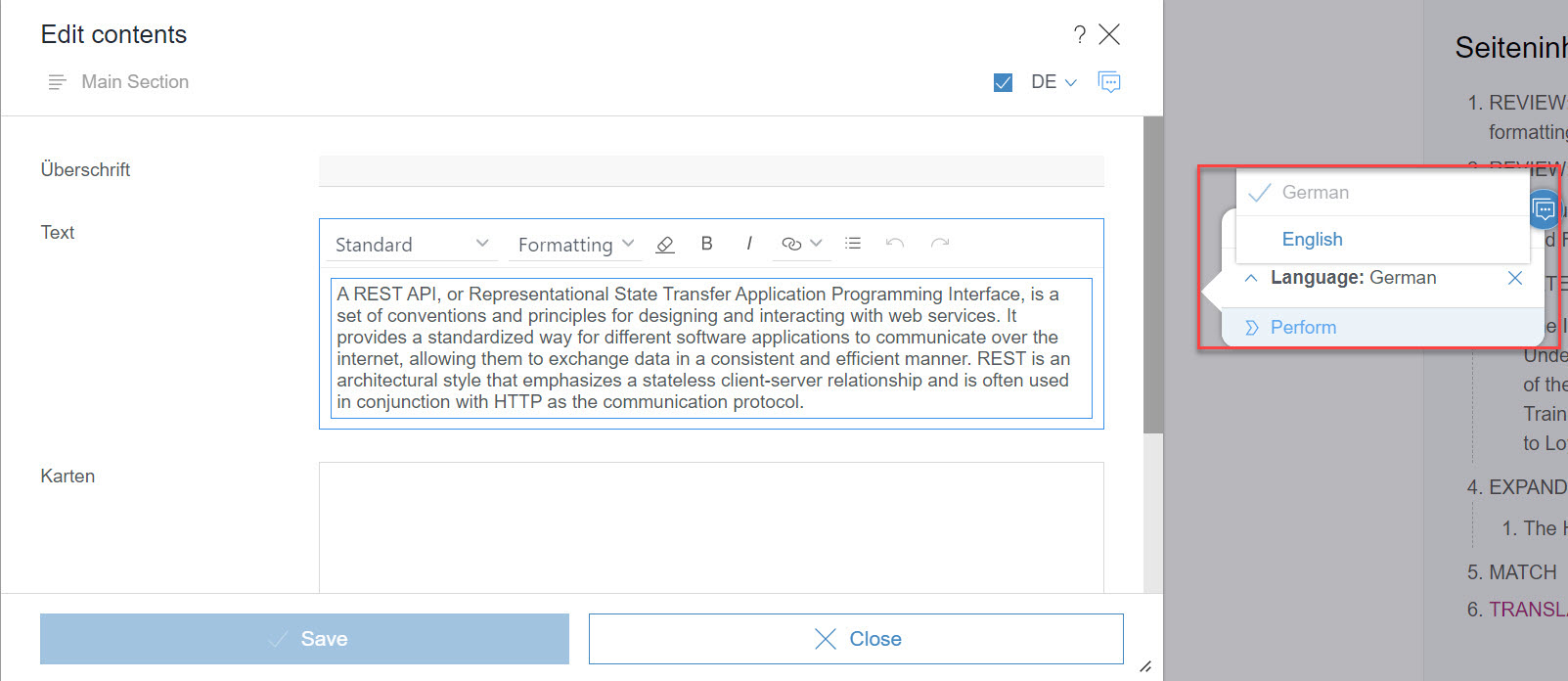
Below you can find an example prompt for the “Translation” operation in which the end-user chooses a predefined value for the parameter [lang]:
Act as a translation expert for any two given languages.
You will receive an input text at the end of this message.
Perform the following tasks in strict order. Read through the tasks and understand them before you begin:
1. Read through the text and understand what it is about.
2. Identify any textual characteristics of the text including but not limited to: brevity, coherence, flow, inclusivity, simplicity, unity, voice, tone, diction, punctuation, sentence structure, syntax, figurative language.
3. Translate the text to [lang] and ensure that the translation matches the semantics and textual features of the original text. Your translated text should sound natural.
Output: Output only the translated text. You must not add anything else to your answer.[< your parameter >].Options allow you to predefine values for a parameter used in an operation prompt. Below you can see the sample option “Languages”. The parameter [lang] can take on values that are predefined under Items.
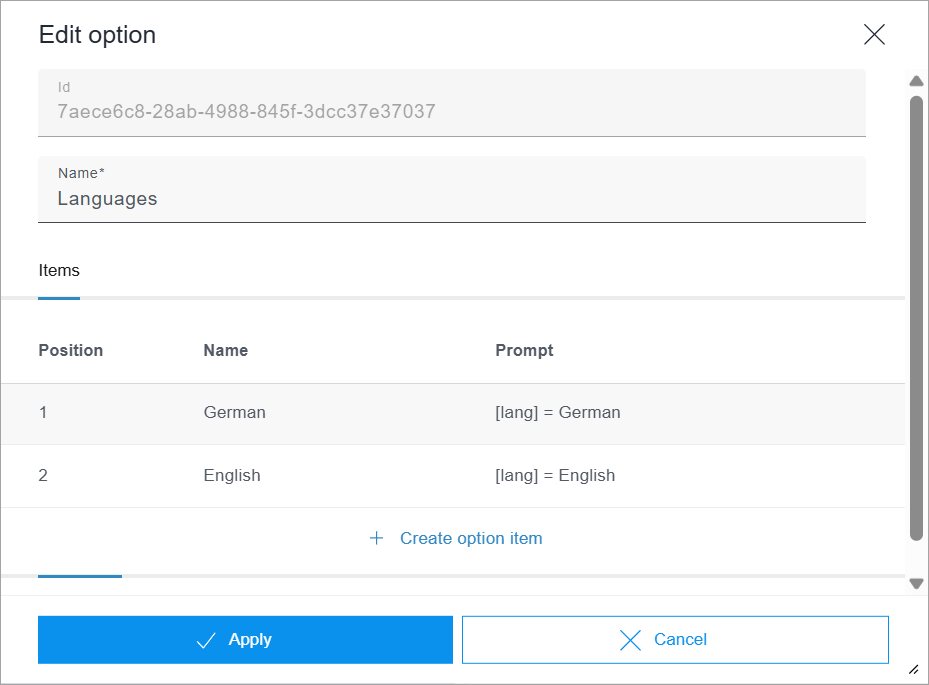
[< your parameter >] = < your parameter value > to ensure that it can be correctly parsed when the operation with option is performed. The parameter name used in the item prompt must be identical to the one used in the operation prompt, e.g. [lang].The name of an item and the parameter value do not have to be identical. However, the item name should be representative of the assigned parameter value as the item name will be shown to the editor when using the Content Assistant.
Finally, you have to link the operation with the option. You can do this either by assigning the option to the operation in the Edit option window under Operations or by assigning the operation to the option by editing the operation.
Prompting for an operation with a function
When you enable a function for an operation, the AI can potentially call this function when performing the operation. Whether a function is actually called is decided autonomously by the AI. In cases where the AI decides autonomously, the function does not need to be explicitly mentioned in the prompt. For use cases where you want to ensure that the function is always called, we suggest to adjust the prompt accordingly. For example:
Always call the function "confluence_get_comments" to retrieve all comments for the specified Confluence page ID.The function name does not necessarily have to be mentioned:
Always retrieve all comments for the specified Confluence page ID.It can be helpful to define how to proceed with the output of the function, for example:
Always call the function "confluence_get_comments" to retrieve all comments for the specified Confluence page ID and include a 3-sentence summary of all comments.