

FirstSpirit AI Suite
Documentation
Introducing the FirstSpirit AI Suite
The FirstSpirit AI Suite brings AI capabilities into the tools that editors, developers, and administrators already use in the ContentCreator. It supports faster content creation, image handling, code review, and content quality checks. Every AI-generated result can be accepted or rejected before it is applied, ensuring you retain full control over your content.
Why use the FirstSpirit AI Suite
The FirstSpirit AI Suite offers various key benefits:
- Reduced manual effort: Offload repetitive content tasks, such as research, reformatting, bulk alt text, or code checks, so your team focuses on the work that needs human judgment.
- Full suite, single license: One license covers the full AI Suite, so your whole team has access to every AI capability without additional purchases.
- Model flexibility: Output quality and model choice remain in your hands: bring your own key, connect your own model, or use the native connections provided.
- Consistent, on-brand AI output: Prompts are managed centrally and applied globally or per project, keeping AI output consistent and on-brand across your organization.
Who it is for
- Editors: Write, improve and check content directly in ContentCreator using the AI assistants, such as the Content Assistant shown below.
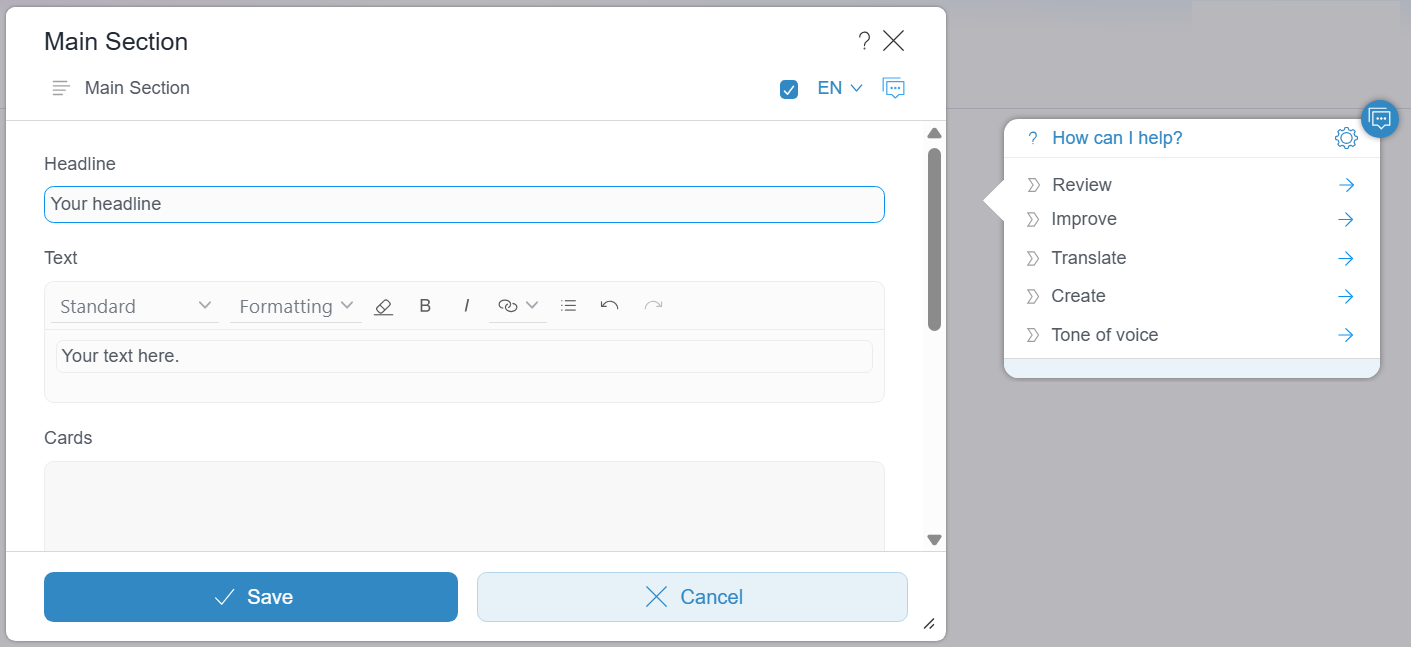
- Administrators: Configure access, manage prompts, and govern AI usage across projects using the prompt configuration panel shown below.
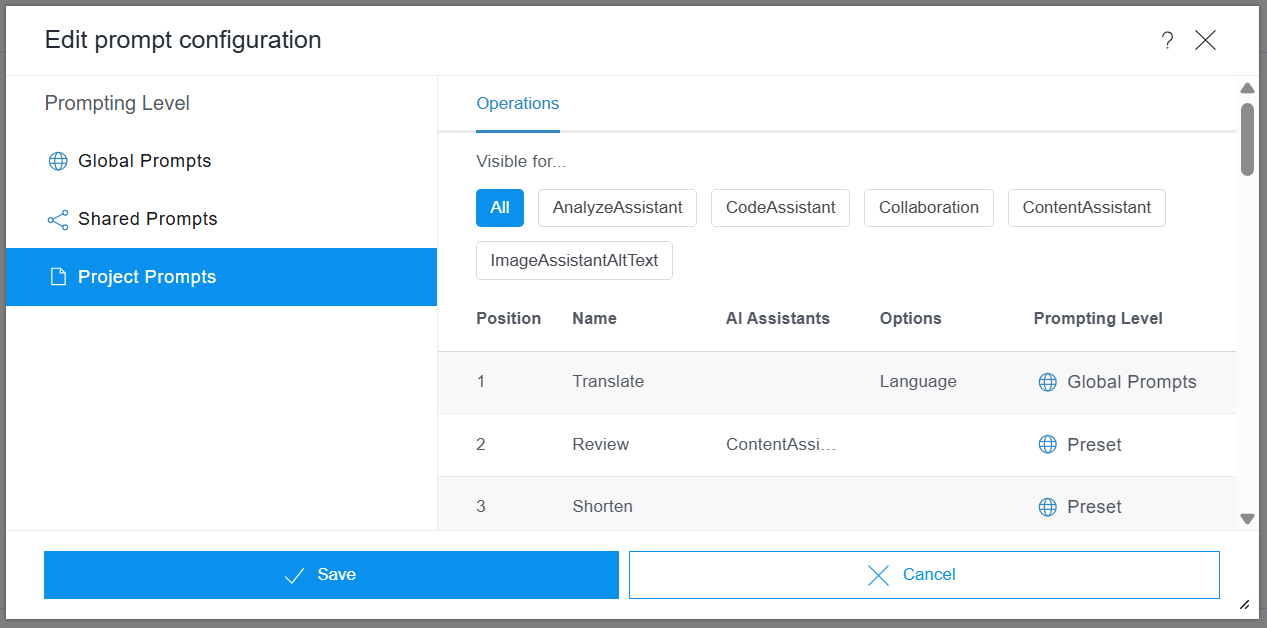
- Developers: Set up and extend the AI Suite, connect models and build custom integrations.
Where to start
- If you are new to FirstSpirit, go to First steps with FirstSpirit Cloud
- If you are here to start using the assistants, go to:
- If the basics are working and you want better results, go to:
- If you need to connect a model, configure the FirstSpirit AI Suite or integrate it with your systems, go to: