

FirstSpirit Collaboration
FirstSpirit Collaboration enables team members to add comments to individual input components directly in the ContentCreator. Comments are language-dependent and linked to specific content elements such as headings, sections, or images. Collaboration is generally available and does not require an AI Suite license.
For the full feature documentation, refer to the Collaboration documentation.
AI agents in Collaboration
The FirstSpirit AI Agent and custom AI agents are available as an optional capability within Collaboration.
The FirstSpirit AI Agent and custom AI agents require an AI Suite license.
AI agents operate inside Collaboration comment threads. They are not available outside the conversation view.
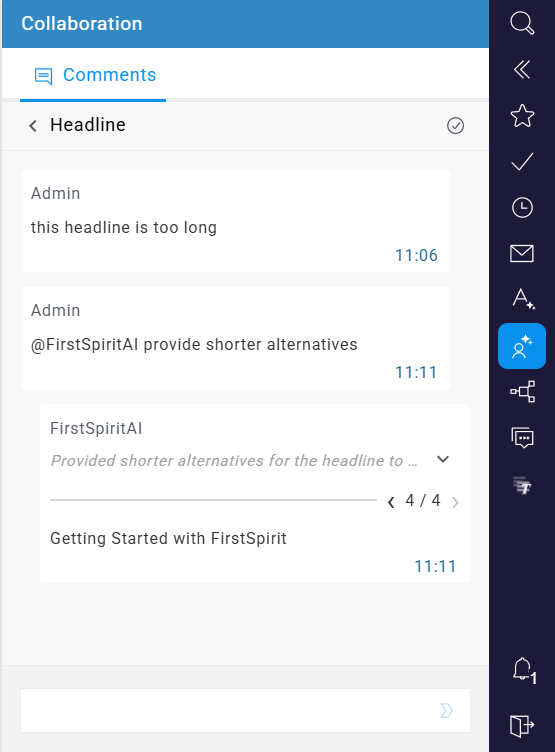
The FirstSpirit AI Agent is available by default once the AI Suite license is active. It is called by entering @FirstSpiritAI in a comment thread. The agent receives the following context from the thread:
- The comment thread history
- The form data of the input component the comment is attached to
- The form data of the entire page
Custom AI agents are configured as prompt operations and enabled for use in Collaboration by a project admin. A custom agent is called by entering @< agent name > in a comment thread.
For more information visit the FirstSpirit Collaboration User Guide.